Rows: 1,242
Columns: 22
$ state                                        <chr> "Alabama", "Alaska", "Arizona", "Arkansas", "…
$ year                                         <dbl> 2020, 2020, 2020, 2020, 2020, 2020, 2020, 202…
$ total_employed_rn                            <dbl> 48850, 6240, 55520, 25300, 307060, 52330, 334…
$ employed_standard_error_percent              <dbl> 2.9, 13.0, 3.7, 4.2, 2.0, 2.8, 6.5, 11.4, 1.2…
$ hourly_wage_avg                              <dbl> 28.96, 45.81, 38.64, 30.60, 57.96, 37.43, 40.…
$ hourly_wage_median                           <dbl> 28.19, 45.23, 37.98, 29.97, 56.93, 36.78, 39.…
$ annual_salary_avg                            <dbl> 60230, 95270, 80380, 63640, 120560, 77860, 84…
$ annual_salary_median                         <dbl> 58630, 94070, 79010, 62330, 118410, 76500, 82…
$ wage_salary_standard_error_percent           <dbl> 0.8, 1.4, 0.9, 1.4, 1.0, 0.7, 1.0, 2.5, 1.5, …
$ hourly_10th_percentile                       <dbl> 20.75, 31.50, 27.66, 21.47, 36.62, 26.84, 29.…
$ hourly_25th_percentile                       <dbl> 23.73, 36.94, 32.58, 25.71, 45.18, 31.05, 34.…
$ hourly_75th_percentile                       <dbl> 33.15, 53.31, 44.67, 35.40, 71.07, 43.47, 47.…
$ hourly_90th_percentile                       <dbl> 38.67, 60.70, 50.14, 39.65, 83.35, 50.03, 54.…
$ annual_10th_percentile                       <dbl> 43150, 65530, 57530, 44660, 76180, 55820, 605…
$ annual_25th_percentile                       <dbl> 49360, 76830, 67760, 53490, 93970, 64580, 709…
$ annual_75th_percentile                       <dbl> 68960, 110890, 92920, 73630, 147830, 90410, 9…
$ annual_90th_percentile                       <dbl> 80420, 126260, 104290, 82480, 173370, 104070,…
$ location_quotient                            <dbl> 1.20, 0.98, 0.91, 1.00, 0.87, 0.95, 1.01, 1.2…
$ total_employed_national_aggregate            <dbl> 140019790, 140019790, 140019790, 140019790, 1…
$ total_employed_healthcare_national_aggregate <dbl> 8632190, 8632190, 8632190, 8632190, 8632190, …
$ total_employed_healthcare_state_aggregate    <dbl> 128600, 17730, 171010, 80410, 844740, 144490,…
$ yearly_total_employed_state_aggregate <dbl> 1903210, 296300, 2835110, 1177860, 16430660, …Implementing accessibility
Lecture 11
October 8, 2026

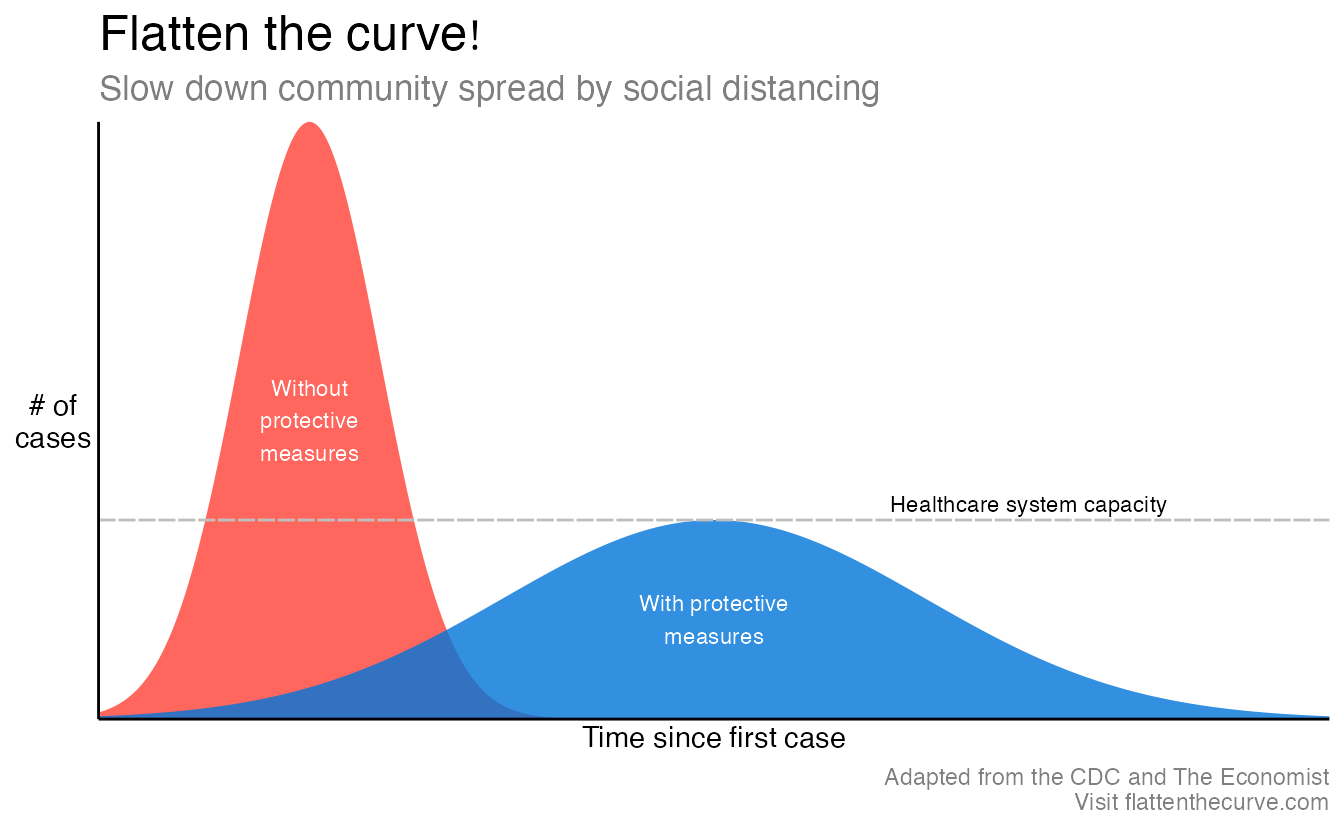
- What is the story?
- How would you describe the chart to someone who could not see it?
Flatten the curve
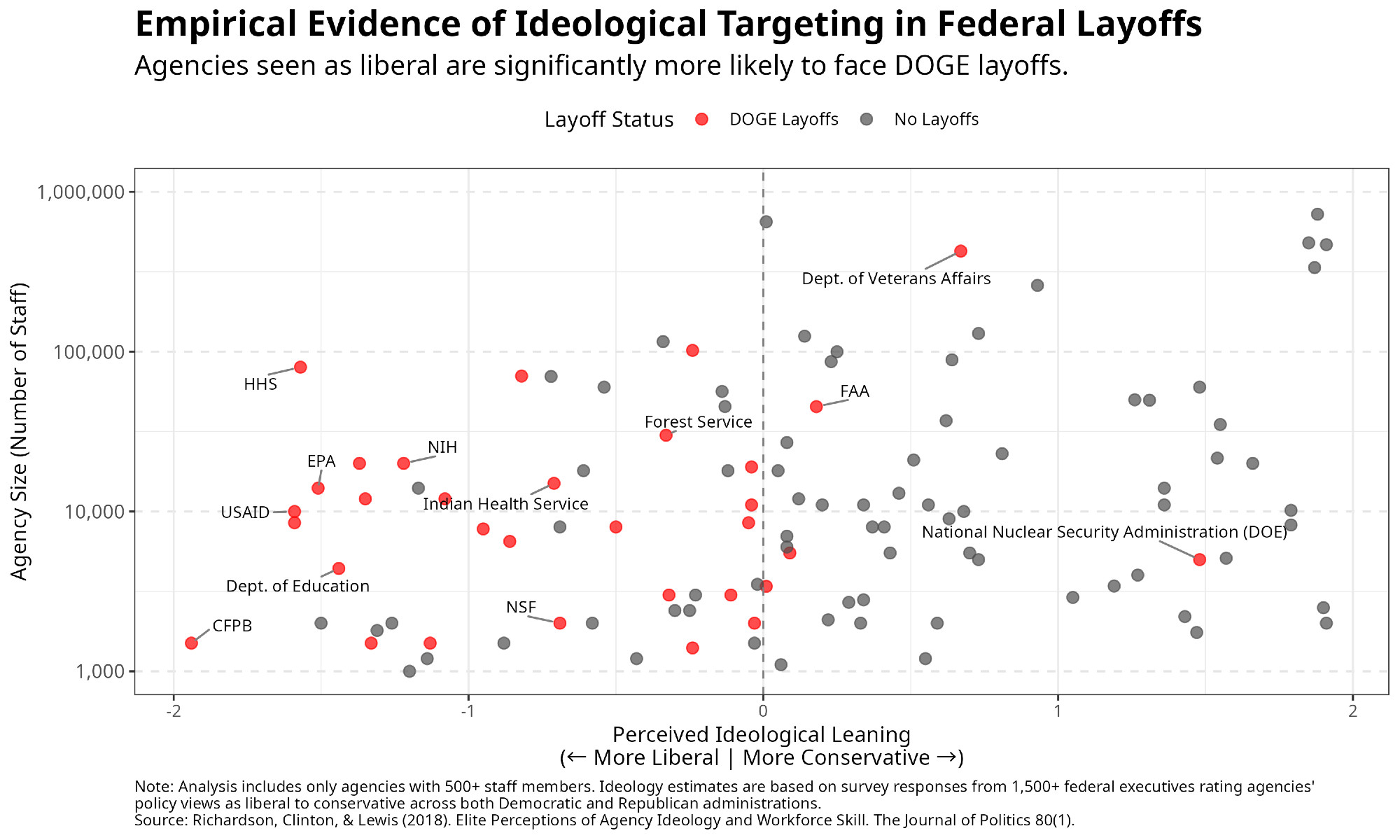
Alt text in the wild
Bar chart
- Provide the title and axis labels
- Briefly describe the chart and give a summary of any trends it displays
- Convert bar charts to accessible tables or lists
- Avoid describing visual attributes of the bars (e.g., dark blue, gray, yellow) unless there’s an explicit need to do so
Developing the alt text
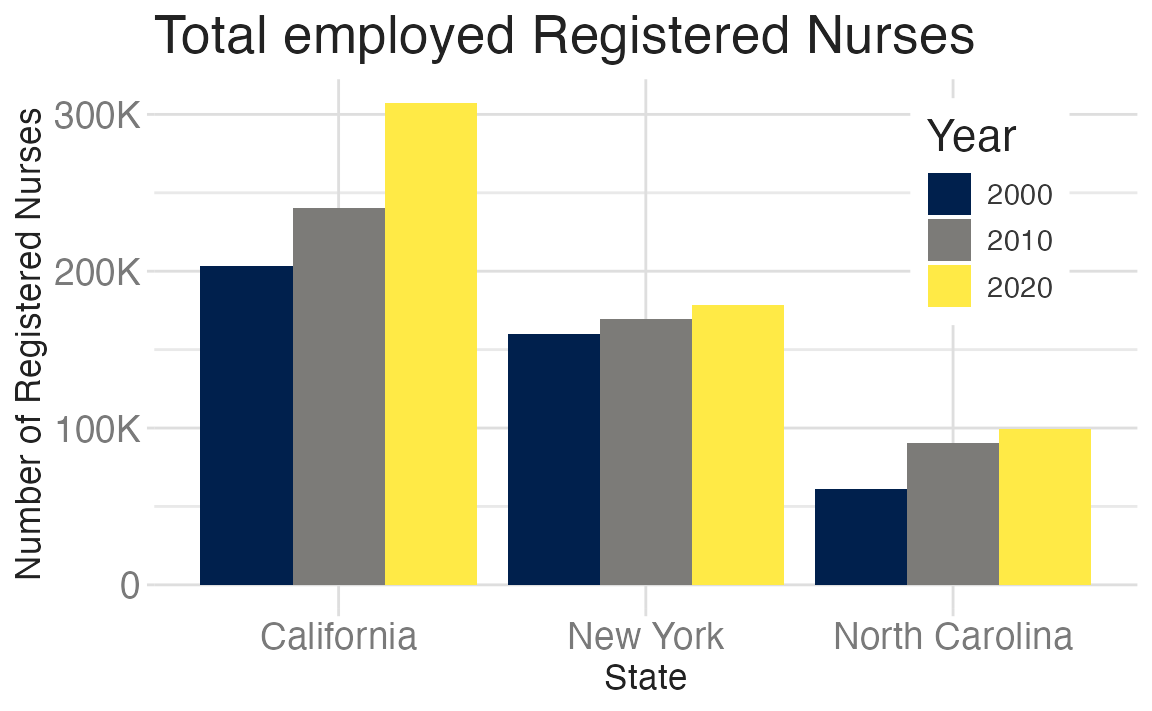
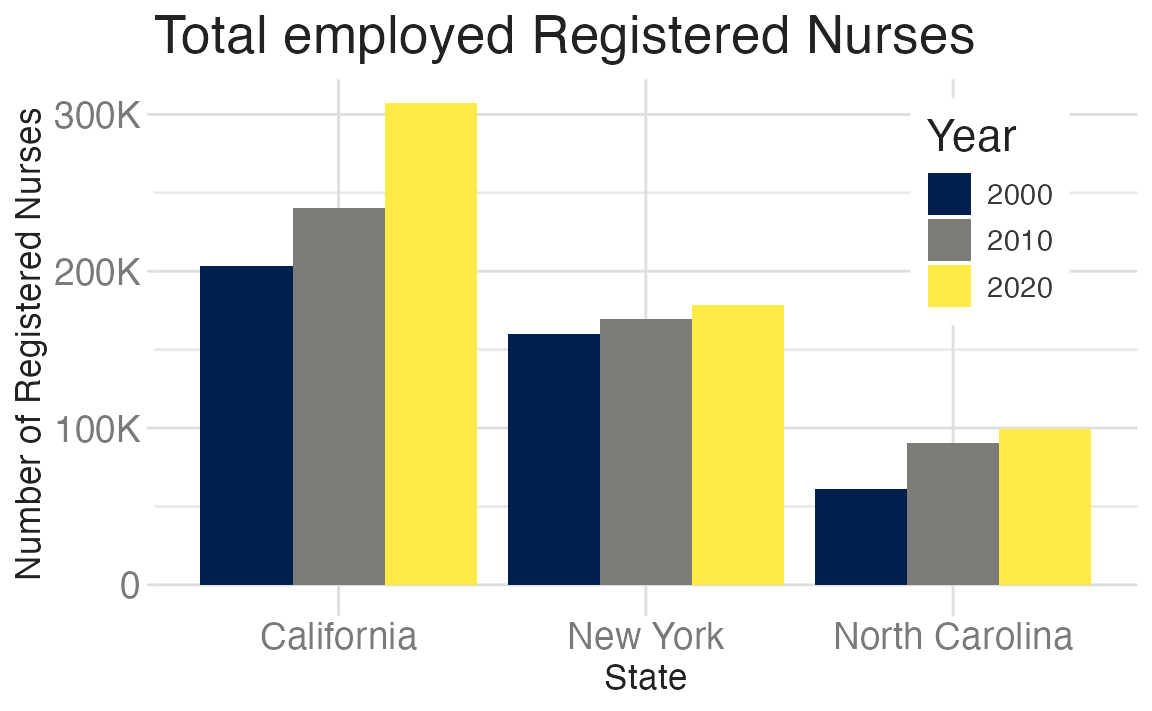
- Total employed registered nurses in three states over time.
- Total employed registered nurses in California, New York, and North Carolina, in 2000, 2010, and 2020.
- A bar chart of total employed registered nurses in California, New York, and North Carolina, in 2000, 2010, and 2020, showing increasing numbers of nurses over time.
- The figure is a bar chart titled ‘Total employed Registered Nurses’ that displays the numbers of registered nurses in three states (California, New York, and North Carolina) over a 20 year period, with data recorded in three time points (2000, 2010, and 2020). In each state, the numbers of registered nurses increase over time. The following numbers are all approximate. California started off with 200K registered nurses in 2000, 240K in 2010, and 300K in 2020. New York had 150K in 2000, 160K in 2010, and 170K in 2020. Finally North Carolina had 60K in 2000, 90K in 2010, and 100K in 2020.
Can we outsource to LLMs?
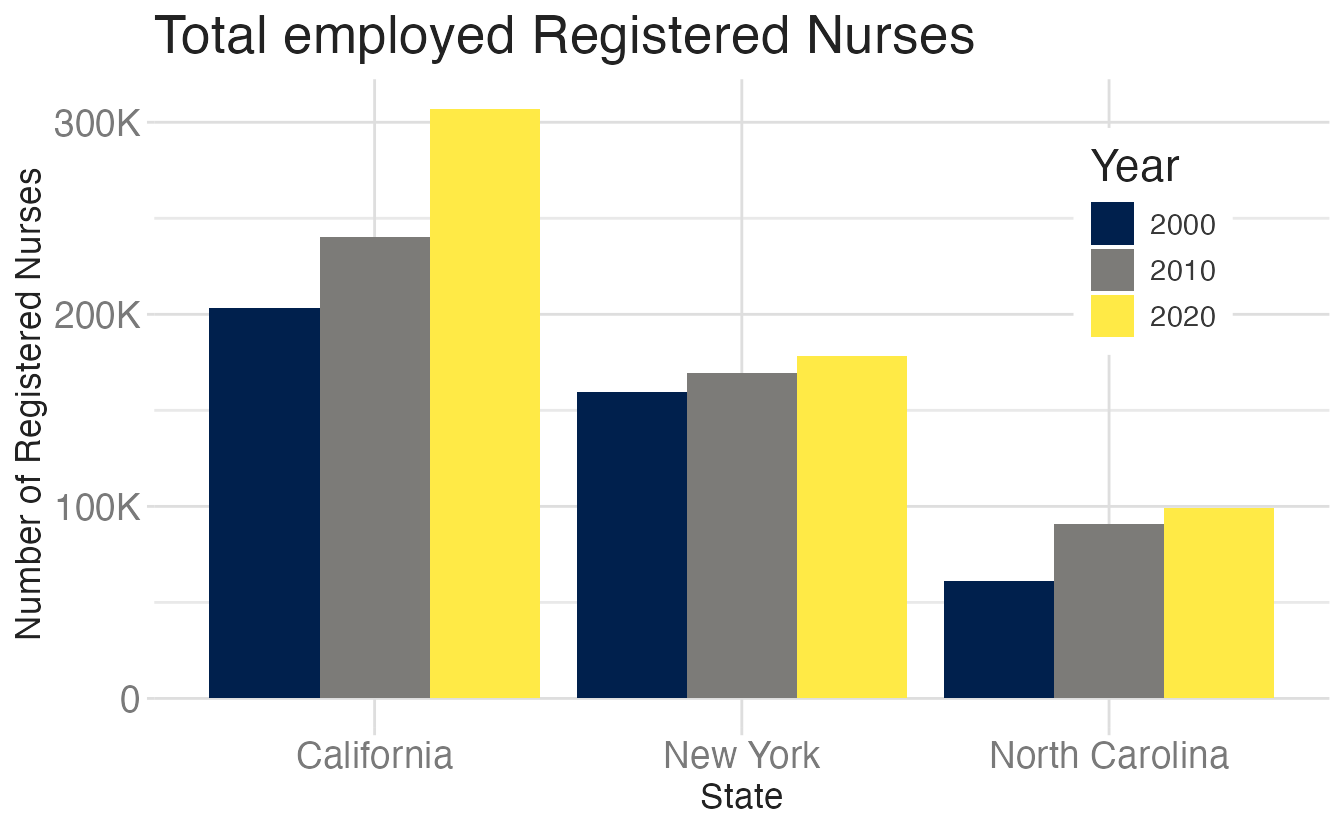
Generated using Claude Sonnet 5
Title: Total Employed Registered Nurses
Axes: State (horizontal) versus Number of Registered Nurses (vertical)
Description: This grouped column chart compares the number of employed registered nurses across three states—California, New York, and North Carolina—for the years 2000, 2010, and 2020.
California shows the highest nurse employment throughout, rising from approximately 205,000 in 2000 to about 235,000 in 2010, then increasing sharply to roughly 307,000 in 2020.
New York shows steady growth, starting at approximately 163,000 in 2000, rising to about 172,000 in 2010, and reaching roughly 178,000 in 2020.
North Carolina has the lowest totals among the three states, beginning at approximately 60,000 in 2000, increasing to about 89,000 in 2010, and reaching roughly 98,000 in 2020.
Across all three states, the number of registered nurses increased consistently from 2000 to 2020, with California showing the most substantial growth in absolute numbers.
Making captions accessible
```{r}
#| fig-cap: Total employed Registered Nurses

nurses_subset |>
  filter(year %in% c(2000, 2010, 2020)) |>
  ggplot(aes(x = state, y = total_employed_rn, fill = factor(year))) +
  geom_col(position = "dodge") +
  scale_fill_viridis_d(option = "E") +
  scale_y_continuous(labels = label_number(scale_cut = cut_short_scale())) +
  labs(x = "State", y = "Number of Registered Nurses", fill = "Year") +
  theme(
    legend.background = element_rect(fill = "white", color = "white"),
    legend.position = c(0.85, 0.75)
  )
```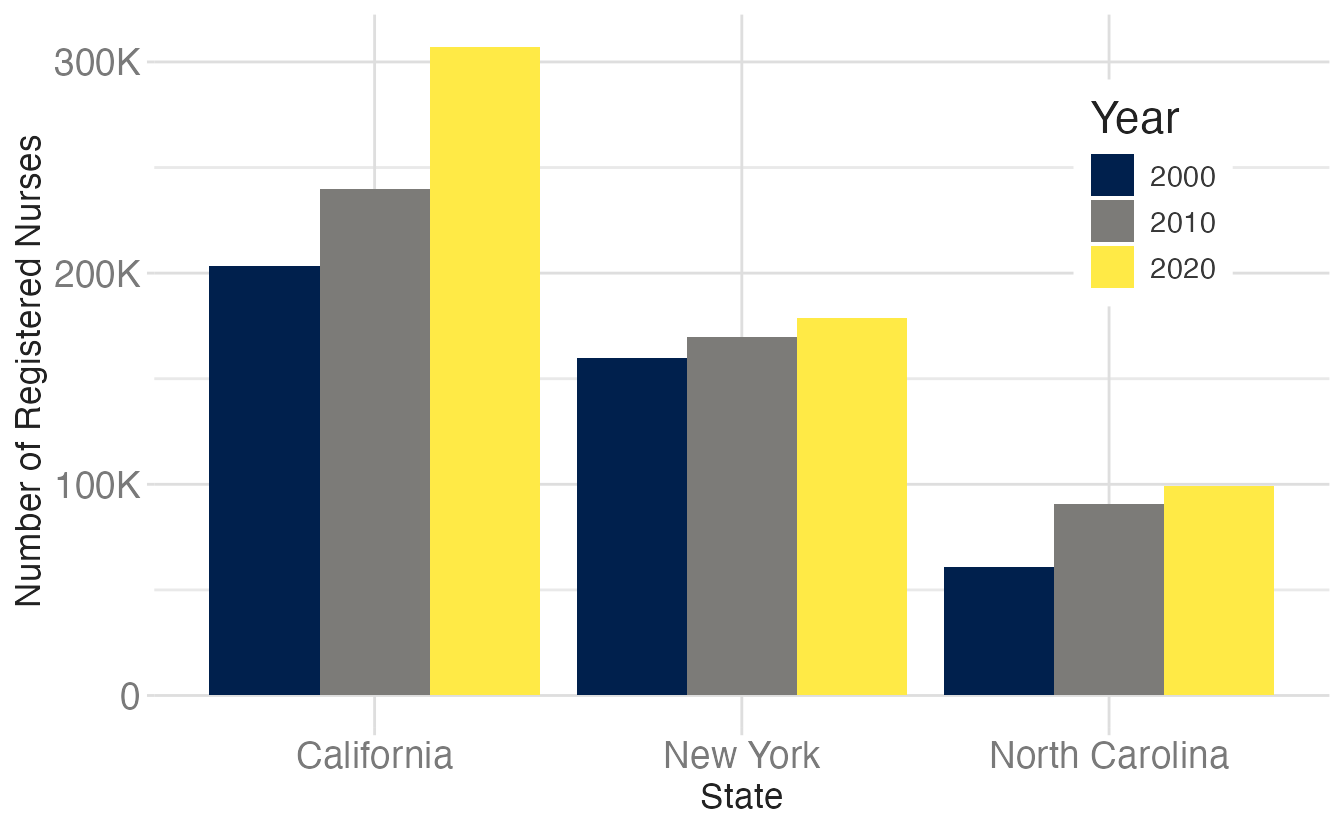
Total employed Registered Nurses
The default {ggplot2} color scale
Warning: Using `size` aesthetic for lines was deprecated in ggplot2 3.4.0.
ℹ Please use `linewidth` instead.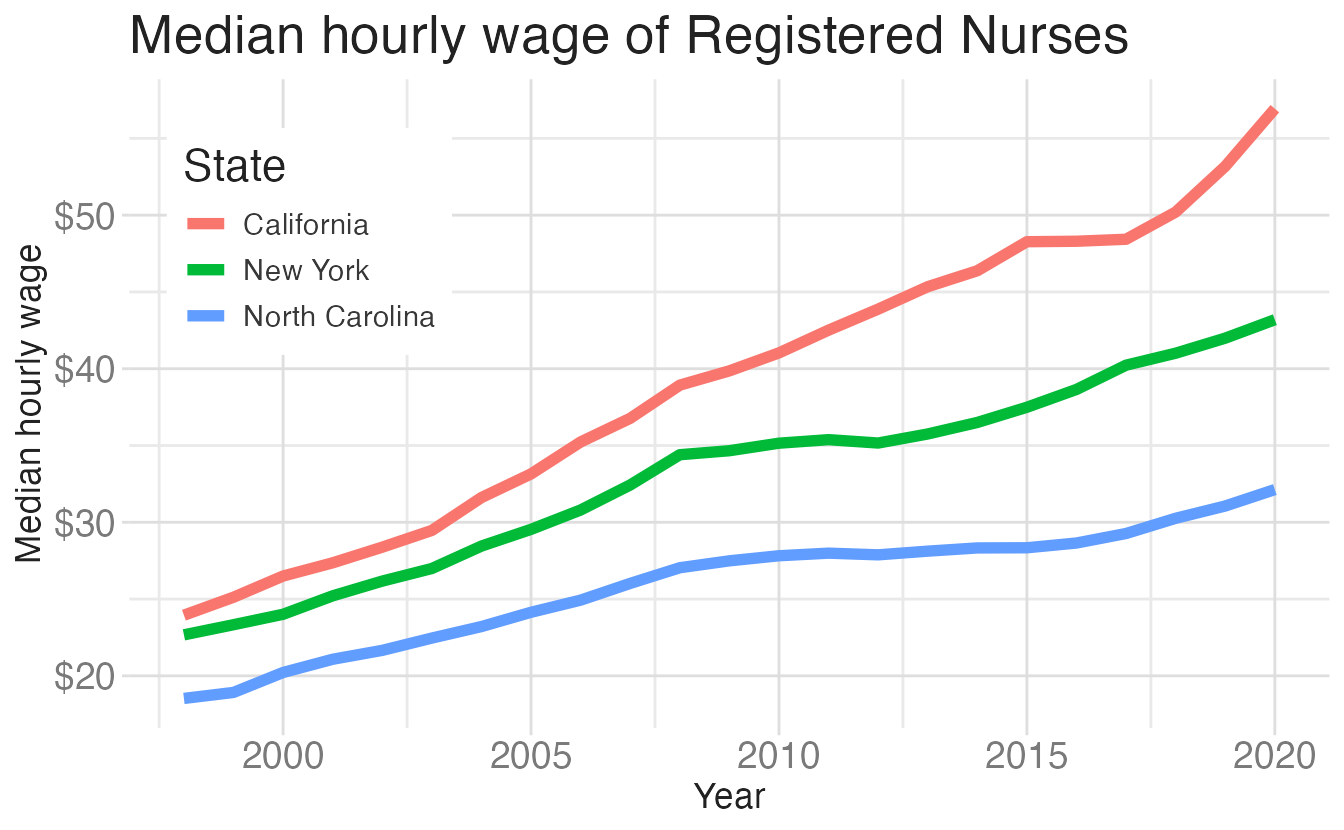
Warning in geom_text(data = data.frame(text, x, y), aes(x = x, y = y, label = text), : Ignoring empty aesthetic: `family`.
Ignoring empty aesthetic: `family`.
Ignoring empty aesthetic: `family`.
Ignoring empty aesthetic: `family`.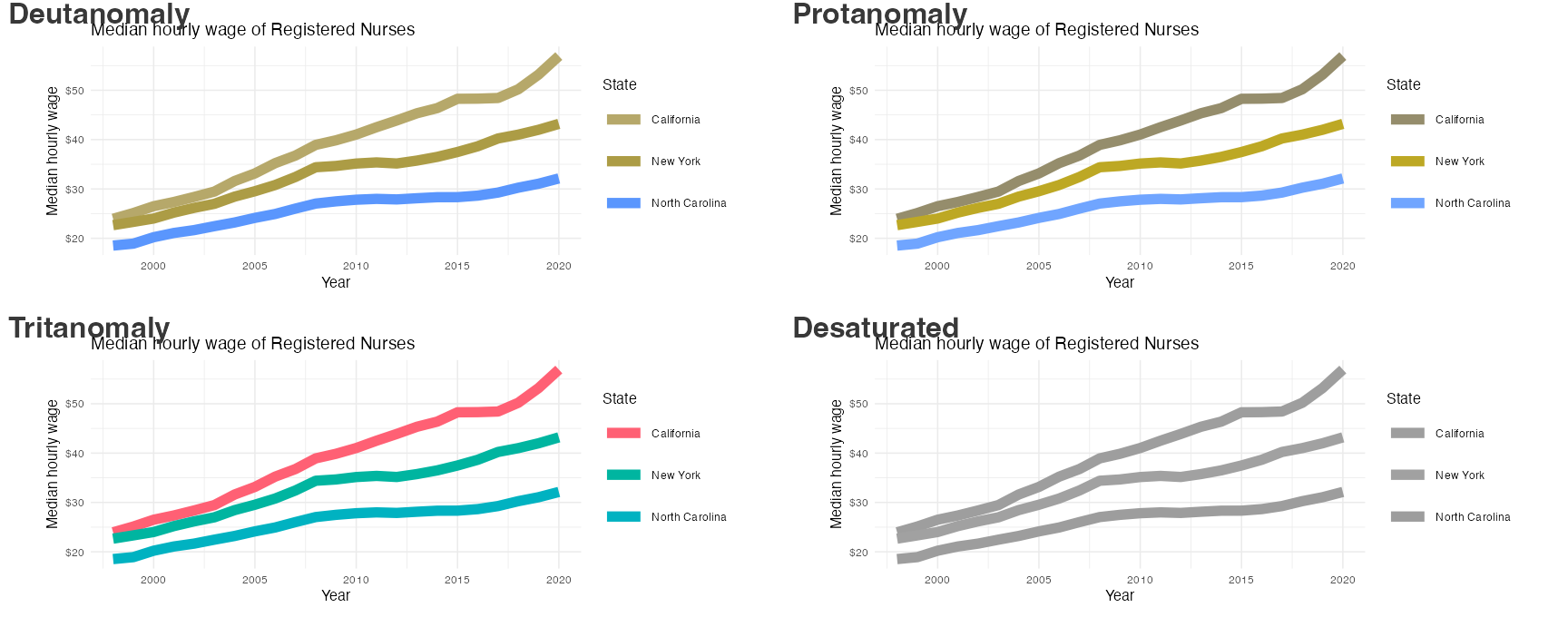
Color scales
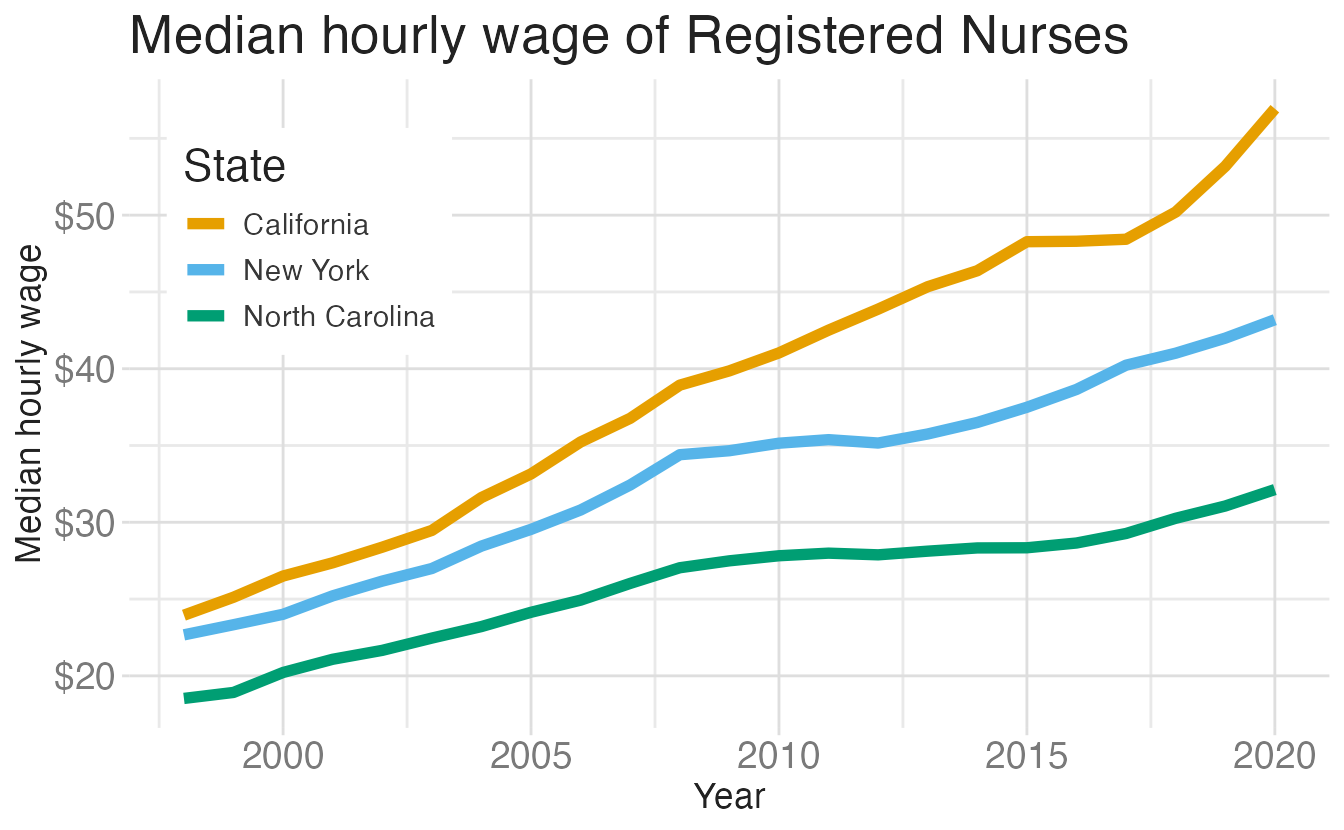
Use colorblind friendly color scales (e.g., Okabe Ito, {viridis})
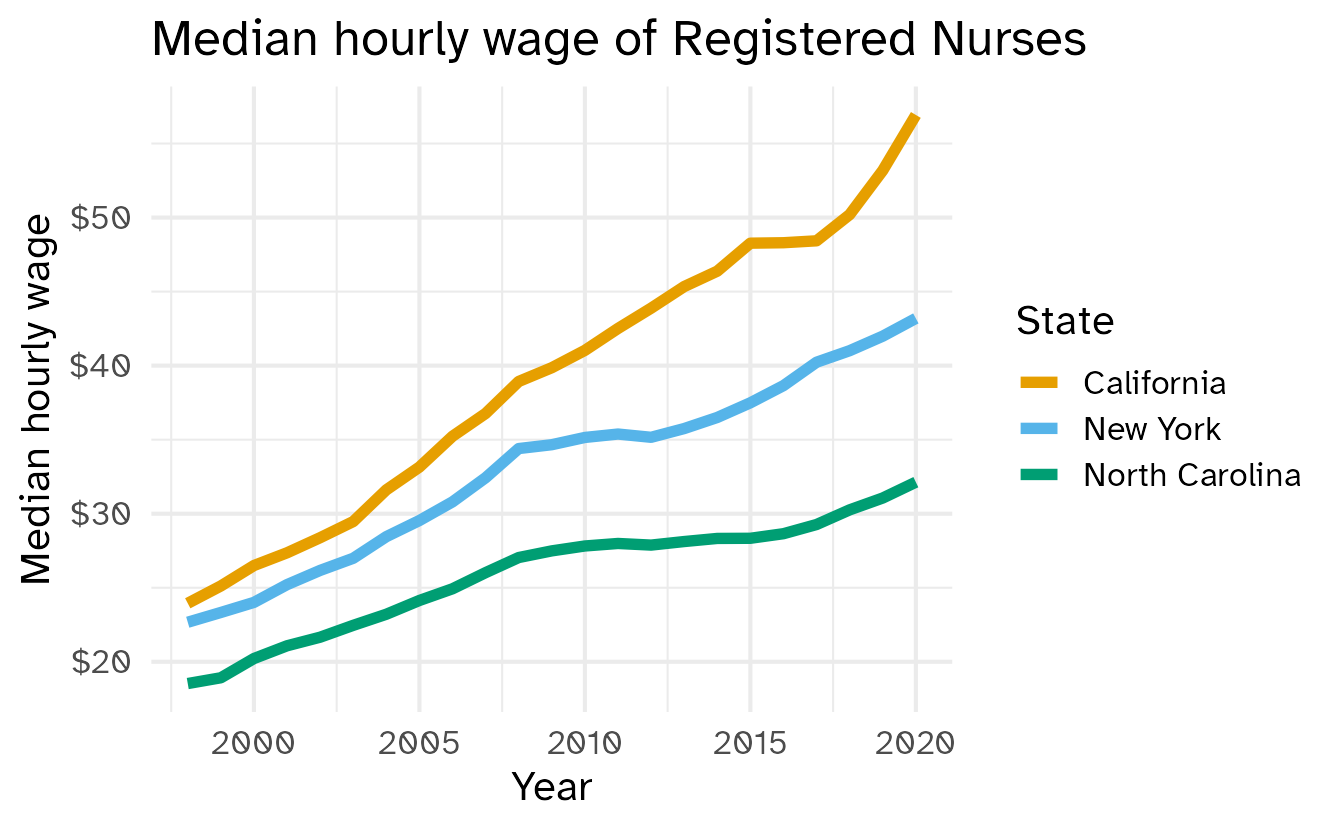
nurses_subset |>
  ggplot(aes(x = year, y = hourly_wage_median, color = state)) +
  geom_line(size = 2) +
  scale_color_colorblind(black = FALSE) +
  scale_y_continuous(labels = label_currency()) +
  labs(
    x = "Year",
    y = "Median hourly wage",
    color = "State",
    title = "Median hourly wage of Registered Nurses"
  ) +
  theme(
    legend.position = c(0.15, 0.75),
    legend.background = element_rect(fill = "white", color = "white")
  )
Color contrast



Double encoding
Use multiple channels where possible
Warning in geom_text(data = data.frame(text, x, y), aes(x = x, y = y, label = text), : Ignoring empty aesthetic: `family`.
Ignoring empty aesthetic: `family`.
Ignoring empty aesthetic: `family`.
Ignoring empty aesthetic: `family`.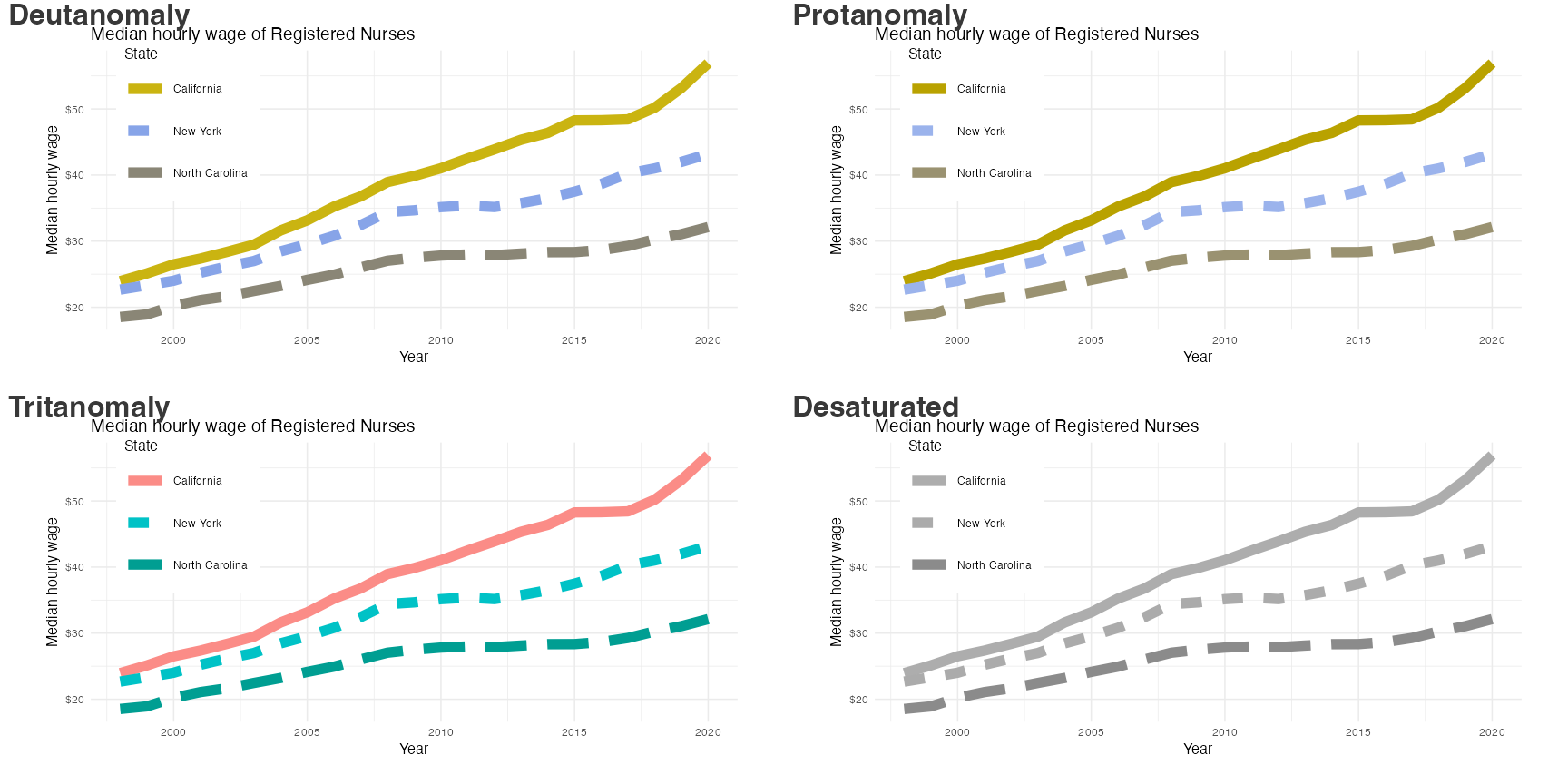
Without direct labeling
Warning in geom_text(data = data.frame(text, x, y), aes(x = x, y = y, label = text), : Ignoring empty aesthetic: `family`.
Ignoring empty aesthetic: `family`.
Ignoring empty aesthetic: `family`.
Ignoring empty aesthetic: `family`.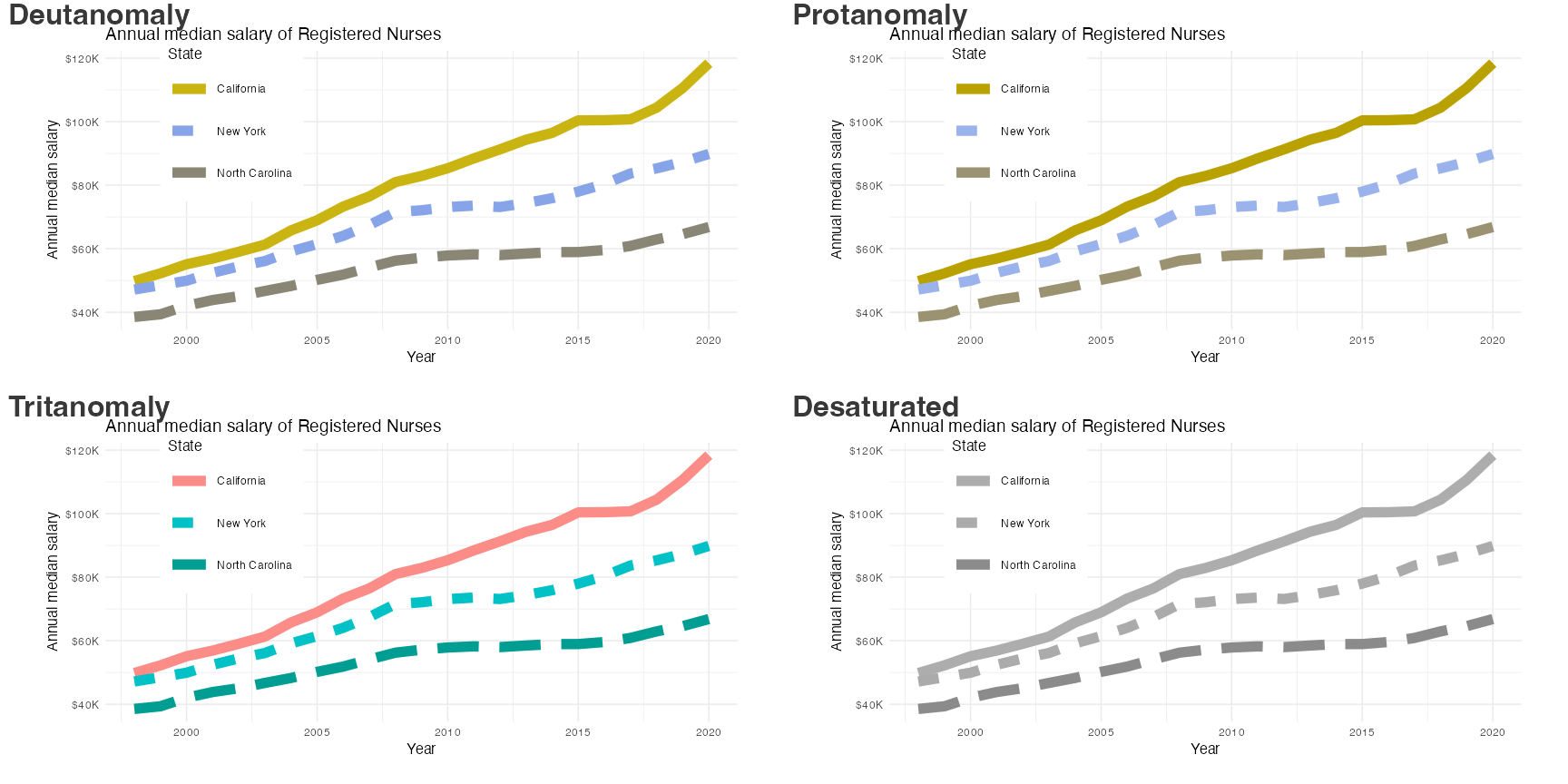
With direct labeling
Warning in geom_text(data = data.frame(text, x, y), aes(x = x, y = y, label = text), : Ignoring empty aesthetic: `family`.
Ignoring empty aesthetic: `family`.
Ignoring empty aesthetic: `family`.
Ignoring empty aesthetic: `family`.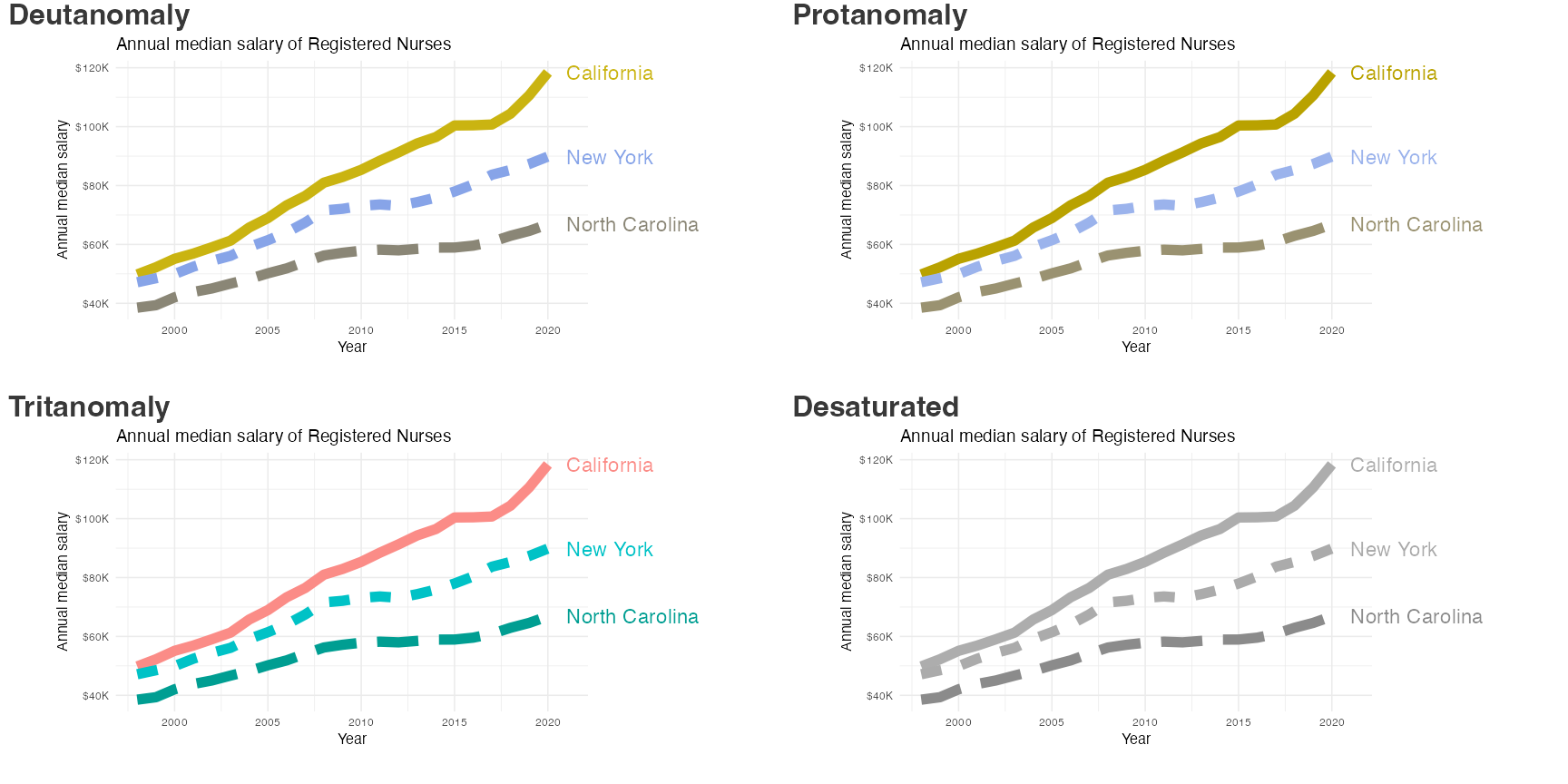
Without whitespace/pattern
Warning in geom_text(data = data.frame(text, x, y), aes(x = x, y = y, label = text), : Ignoring empty aesthetic: `family`.
Ignoring empty aesthetic: `family`.
Ignoring empty aesthetic: `family`.
Ignoring empty aesthetic: `family`.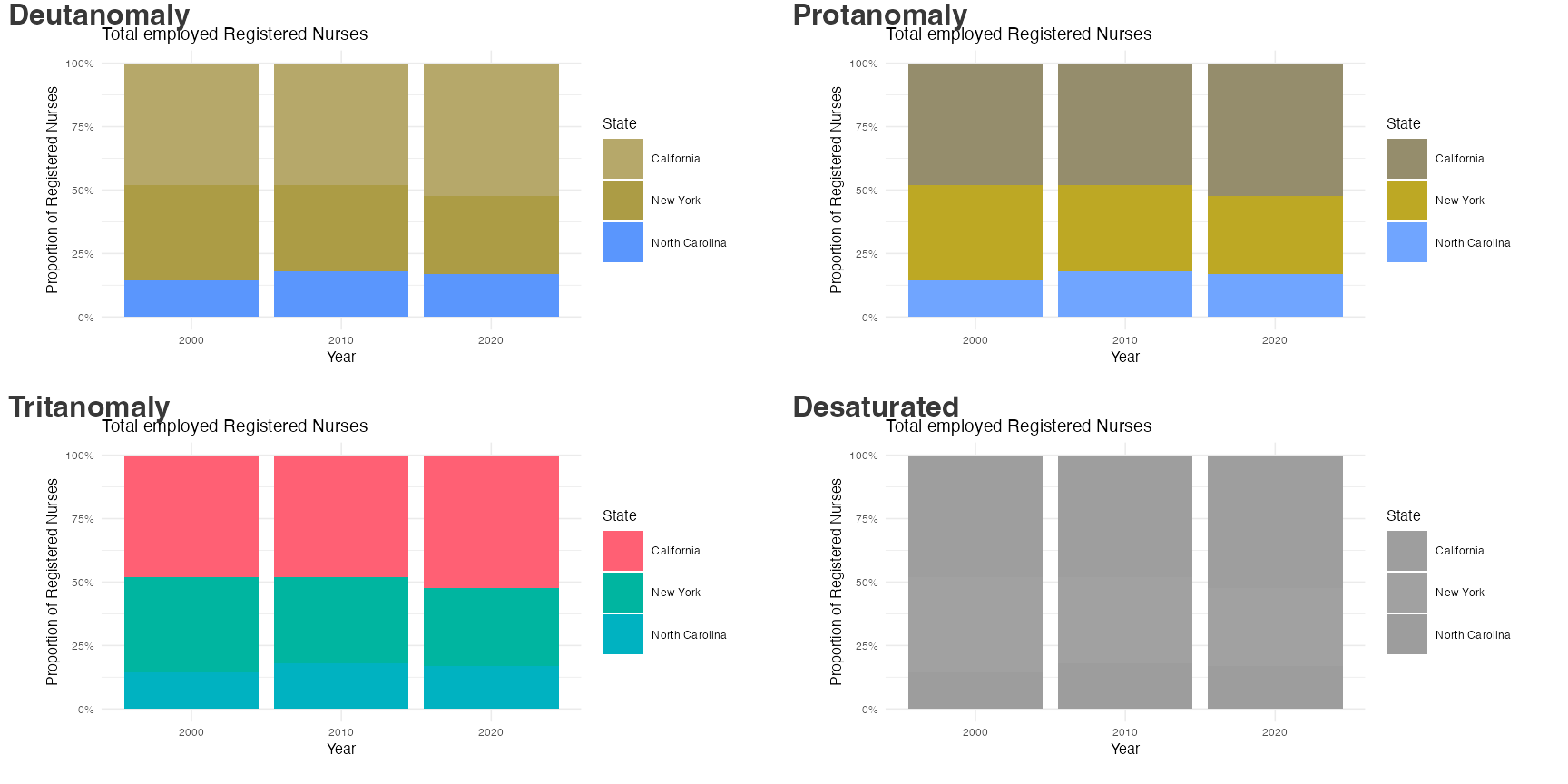
With whitespace
Warning in geom_col(position = "fill", color = "white", size = 20): Ignoring unknown parameters:
`size`
Warning in geom_text(data = data.frame(text, x, y), aes(x = x, y = y, label = text), : Ignoring empty aesthetic: `family`.
Ignoring empty aesthetic: `family`.
Ignoring empty aesthetic: `family`.
Ignoring empty aesthetic: `family`.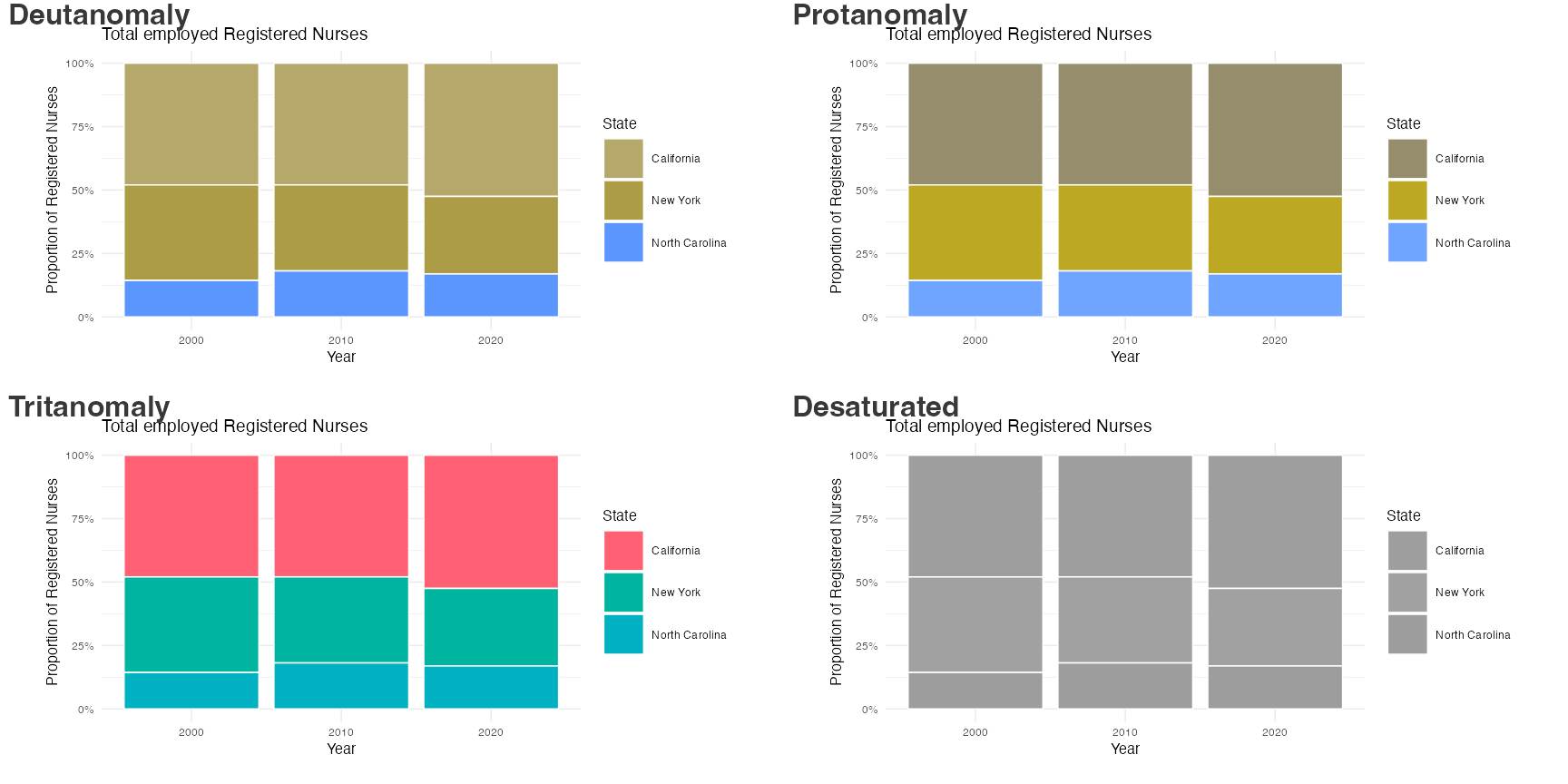
With pattern via {ggpattern}
Warning in geom_text(data = data.frame(text, x, y), aes(x = x, y = y, label = text), : Ignoring empty aesthetic: `family`.
Ignoring empty aesthetic: `family`.
Ignoring empty aesthetic: `family`.
Ignoring empty aesthetic: `family`.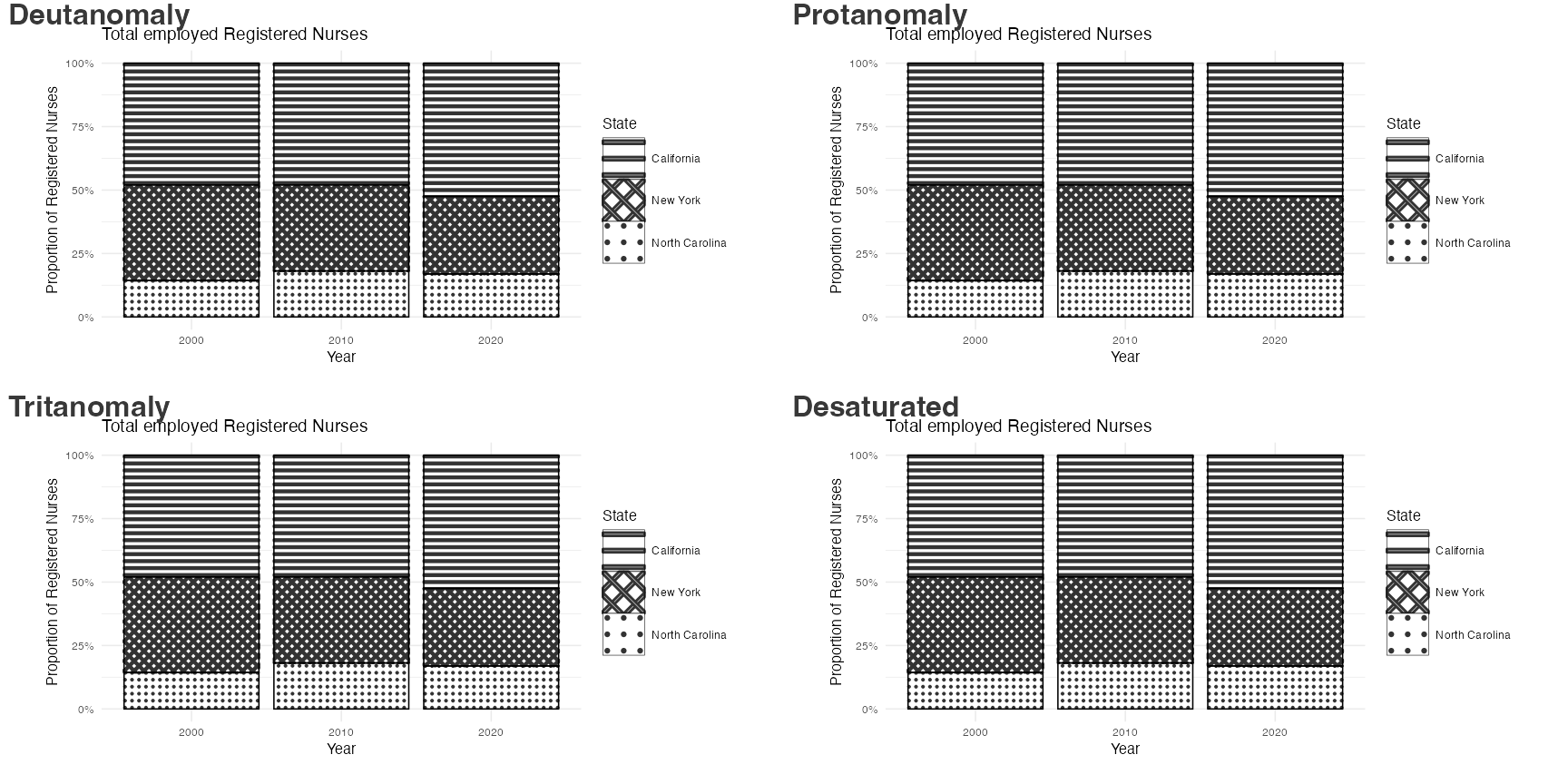
Accessibility and fonts
nurses_subset |>
  ggplot(aes(x = year, y = hourly_wage_median, color = state)) +
  geom_line(size = 2) +
  scale_color_colorblind(black = FALSE) +
  scale_y_continuous(labels = label_currency()) +
  labs(
    x = "Year",
    y = "Median hourly wage",
    color = "State",
    title = "Median hourly wage of Registered Nurses"
  ) +
  theme_minimal(
    base_size = 16,
    base_family = "Atkinson Hyperlegible"
  )